
News ·
A parent paid too much? The surplus moves to next month
Every club knows this one: a parent pays two months at once, or pays twice by mistake. The money is in, but where does it go? Usually into a notebook, and next month someone remembers it, or doesn’t. In VirtuAdmin there is nothing to remember. One click and the surplus is on next month’s bill.
- Overpayment visible at once
- One click to next month
- No duplicate bills
How it works
Three steps, no notebook, no maths
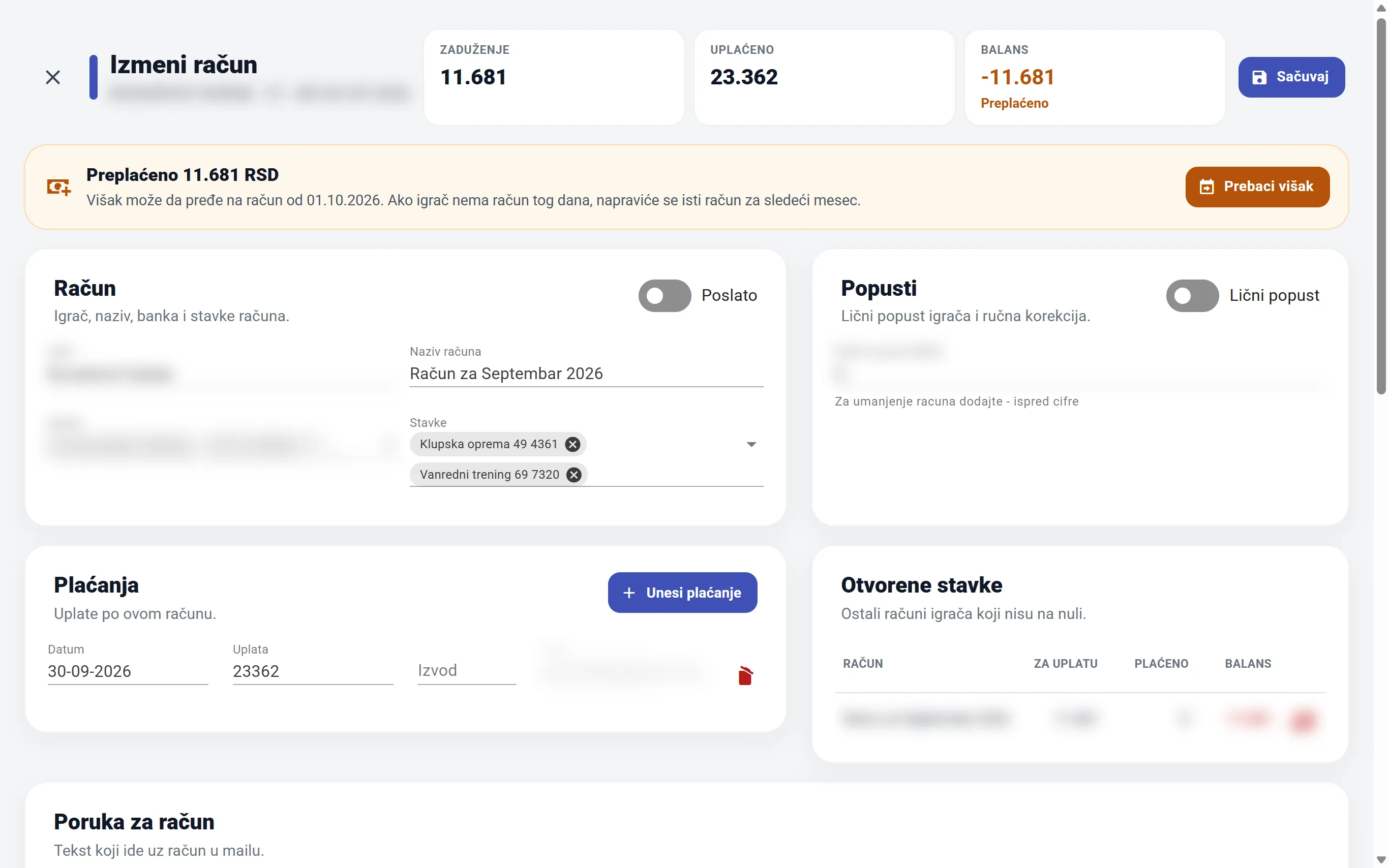
You record the payment as usual. If more was paid than the bill says, VirtuAdmin notices and offers a fix.
- You see the overpayment. Next to the balance it says “overpaid” in orange, and the bill shows the exact surplus.
- You click “Move surplus”. The program shows the date it moves it to: the first day of next month.
- Done. The old bill is at zero. The new bill shows what the parent has already paid and what is left.
Next month’s bill creates itself
If the player already has a bill for next month, the surplus goes there. If not, VirtuAdmin creates the same bill (same items, same bank) for next month, with a new payment reference. The name updates itself: “September” becomes “October”, and after December comes January of the next year.
The books stay right
Moving the surplus is not a new payment. What comes off the old bill goes onto the new one, dated with the real payment. The club’s total collected stays the same and correct.
Parents don’t pay twice
On next month’s bill the surplus is already recorded as paid, so the balance shows only what is still due. No awkward calls saying “but I already paid that”.
Bills for a whole group
One click for the whole group, no duplicate bills
At the start of the month, bills for a whole group are created at once. If someone already has a bill dated the first of the month, for example the one the surplus moved to, VirtuAdmin skips them. At the end it shows a list: who was skipped and which bill they already have.
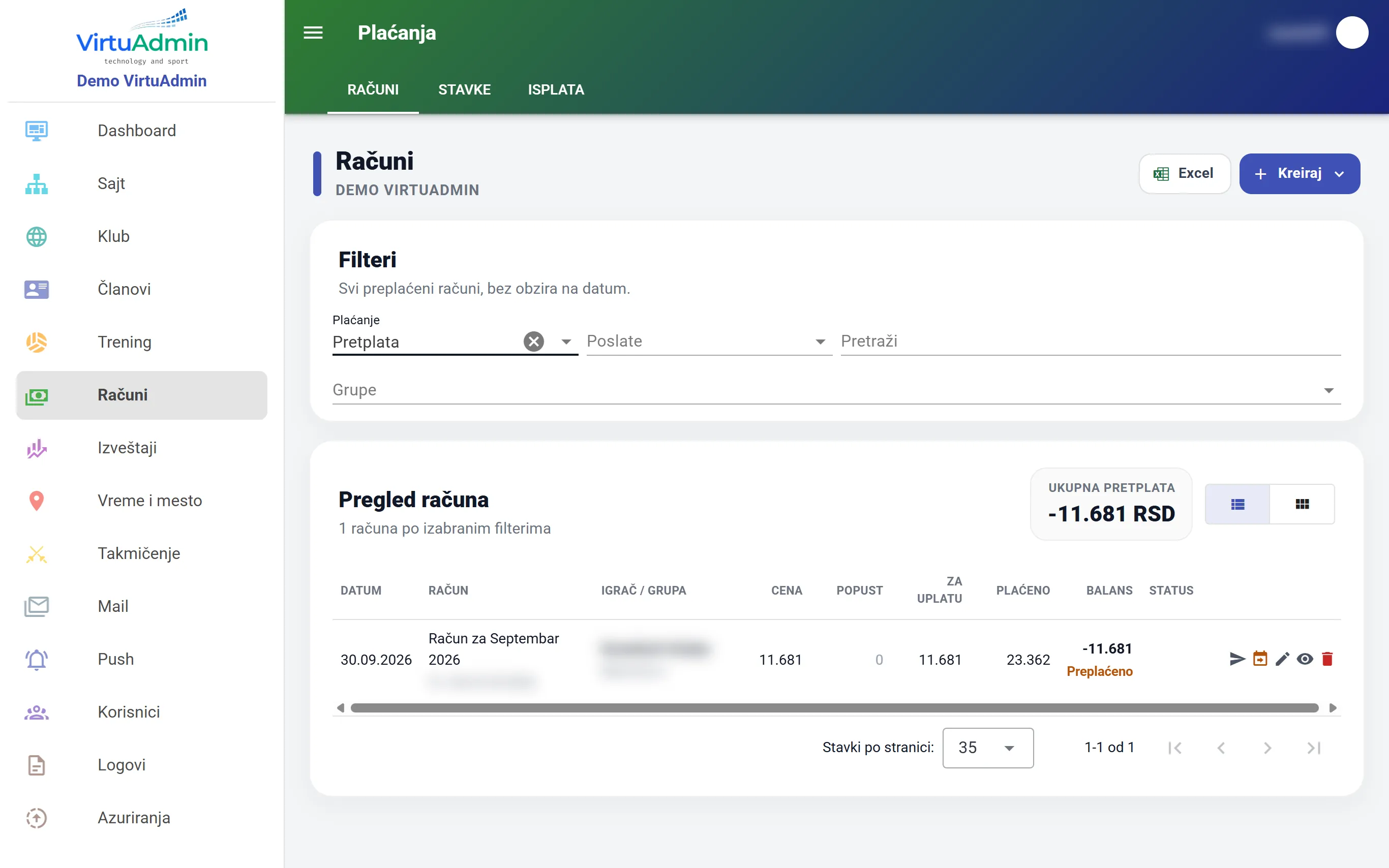
- No two bills for the same month for the same player, so parents aren’t confused
- You know what the program did: how many bills it created and who it skipped
- You stay in control: you can always create a single bill by hand, even for someone the program skipped
Bill form
A bill you can read at a glance
The bill form is split into clear parts, so nothing gets lost on the screen: bill details, discounts, totals, payments and the player’s older debts.
- Totals as cards: price, discounts, paid and balance side by side
- Older debts right below: see if the player also owes for previous months
- Payments in the same place: the “Add payment” button is inside the bill
What is VirtuAdmin? Online software for running a sports club: members, training and attendance, membership fees, competitions, a parent portal and a mobile app, all in one place. New features like this one reach every club automatically, with no installation and no work for the club. See all features