
News ·
Bills, improved: less searching
Click Bills in the menu and the screen opens right away. The menu on the left is sorted into groups, so you know where you are. A payment is entered in one window: you see what is left to pay, type the amount and save.
- Menu sorted into groups
- Payment in one window
- Clear on the phone too
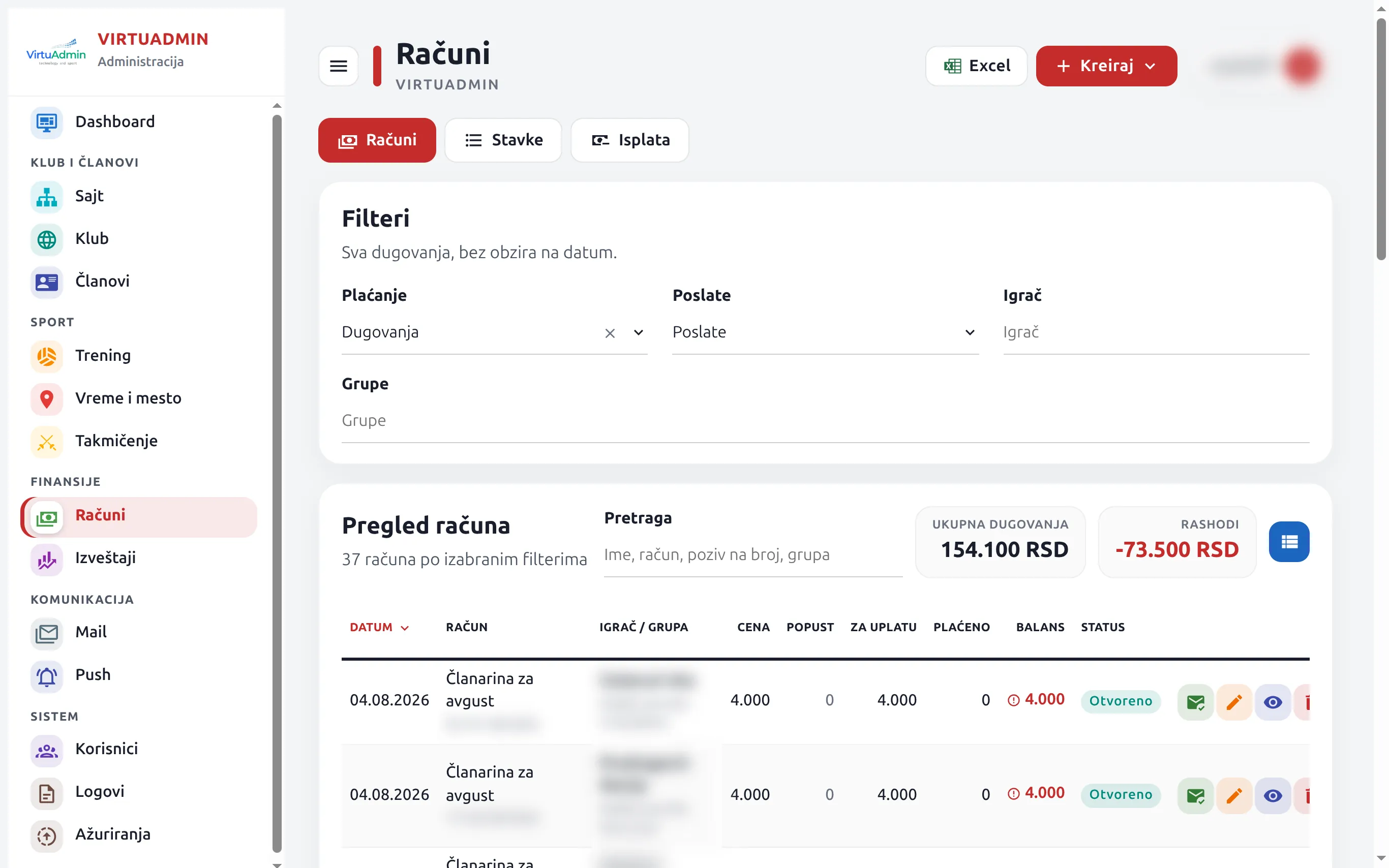
When you open Bills
Everything you need is on one screen
No hunting around. The menu, the filters and the buttons are always in the same place.
- A menu in groups. On the left: Club and members, Sport, Finance, Messages and System. Bills are under Finance. The screen you are on is marked in the club colour.
- Bills, Items, Payouts. Three buttons at the top of the screen, side by side. One click and you are there.
- Filters. Choose whether you see debts or all bills, sent or not sent, one player or a group.
- Status in one word. Delivered, Opened, Clicked, Bounced. Hover over the word and the full description appears.
- Table or cards. One button switches the view. Hover over it and it says what it will do.
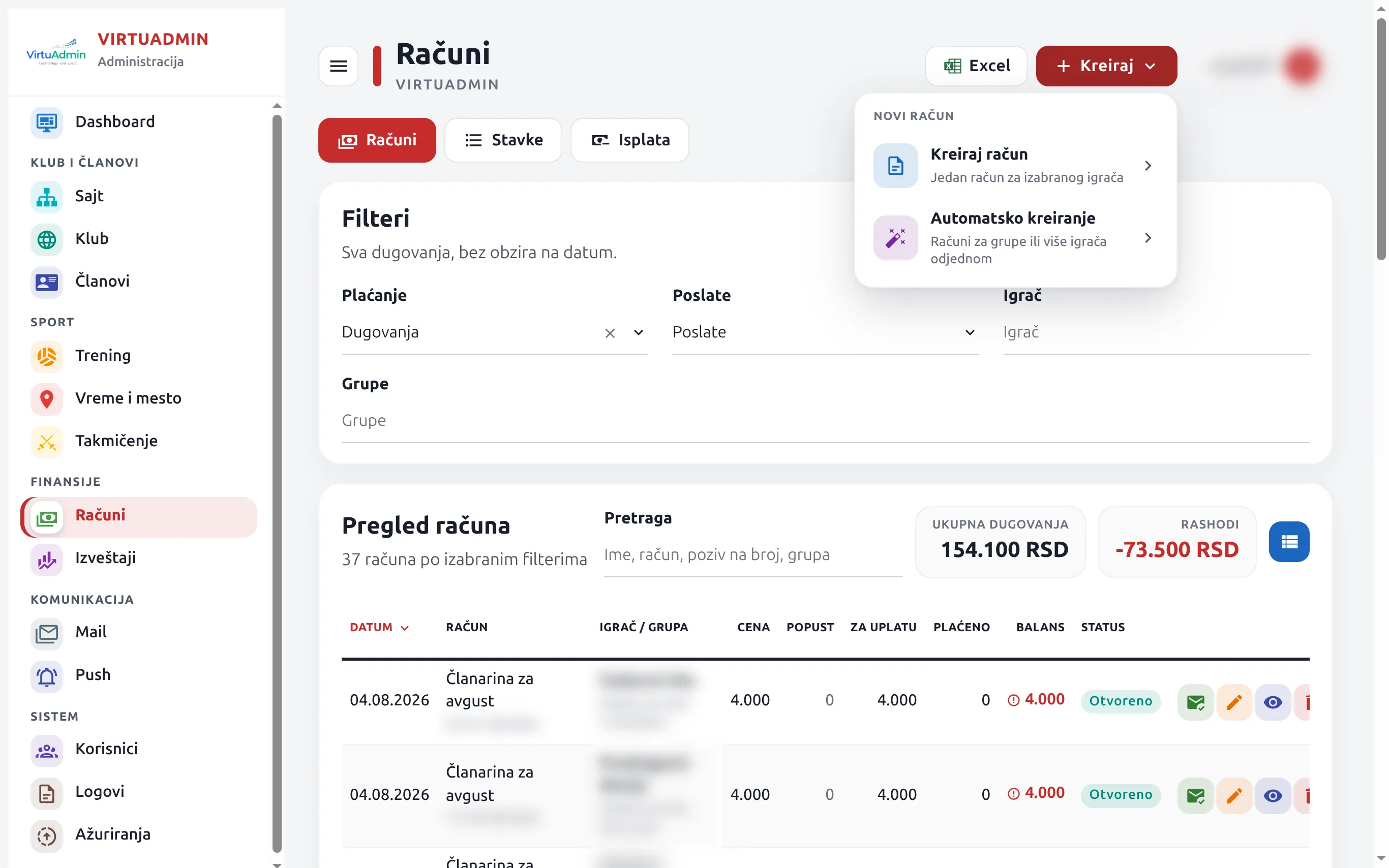
Create
Click Create (Kreiraj) and you get two choices: one bill for one player, or bills for a whole group at once. Each choice says what it is for.
The same colours
A debt is red, a paid bill is blue, an overpayment is orange. The same in the table and in the cards.
The same sign-in
Sign in as you always have. Bills, payments and debts are where they were. The look has changed, not the data.
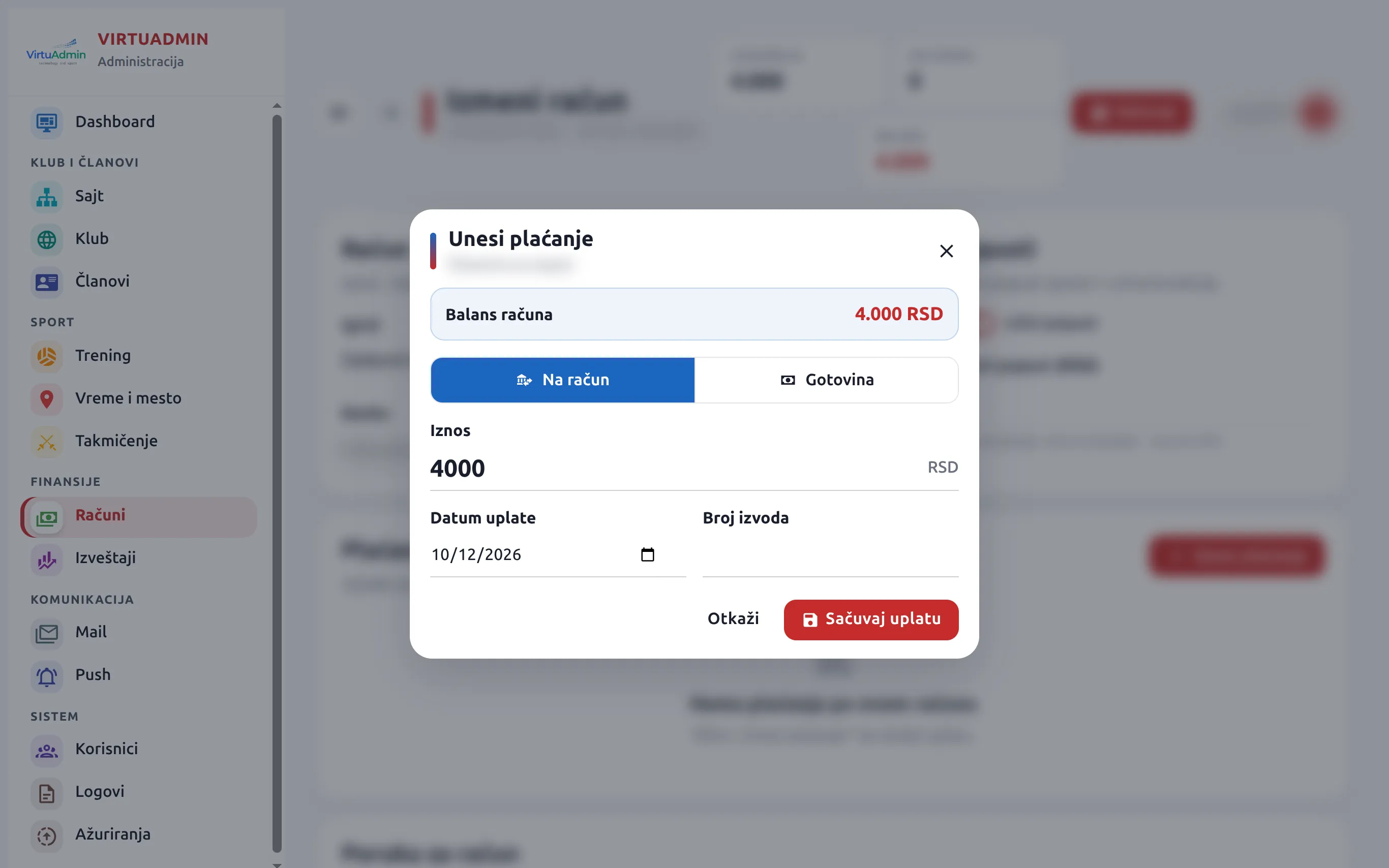
Entering a payment
A payment is entered in one window
Open a bill and click Enter payment (Unesi plaćanje). The top of the window shows what is left to pay.
Bank transfer or cash
Two big buttons. Click how the parent paid.
Amount and date
Type the amount in dinars and the payment date. For a bank transfer you also type the statement number. Cash needs no statement number, so the window does not ask for one.
Save payment
One click and the payment is recorded. The bill balance changes right away.
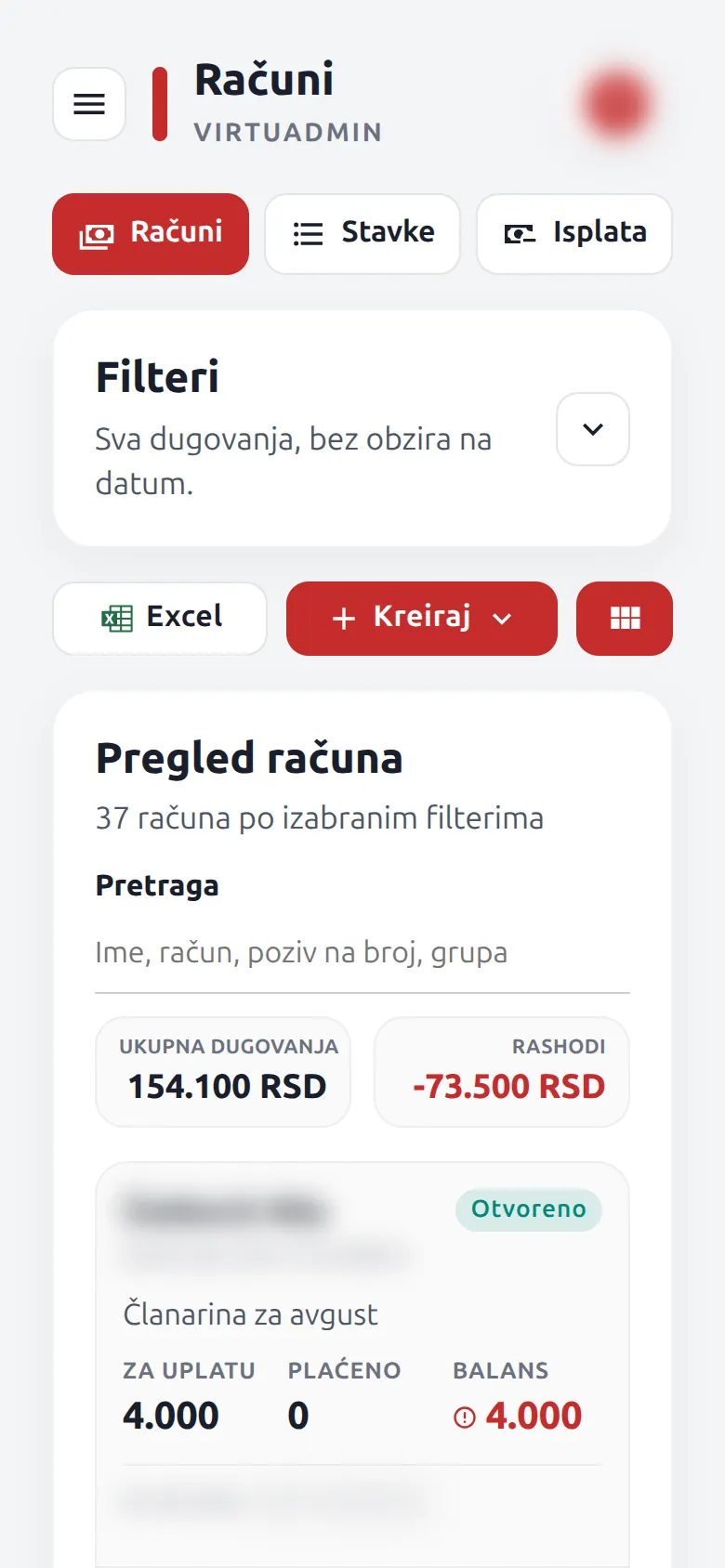
On the phone
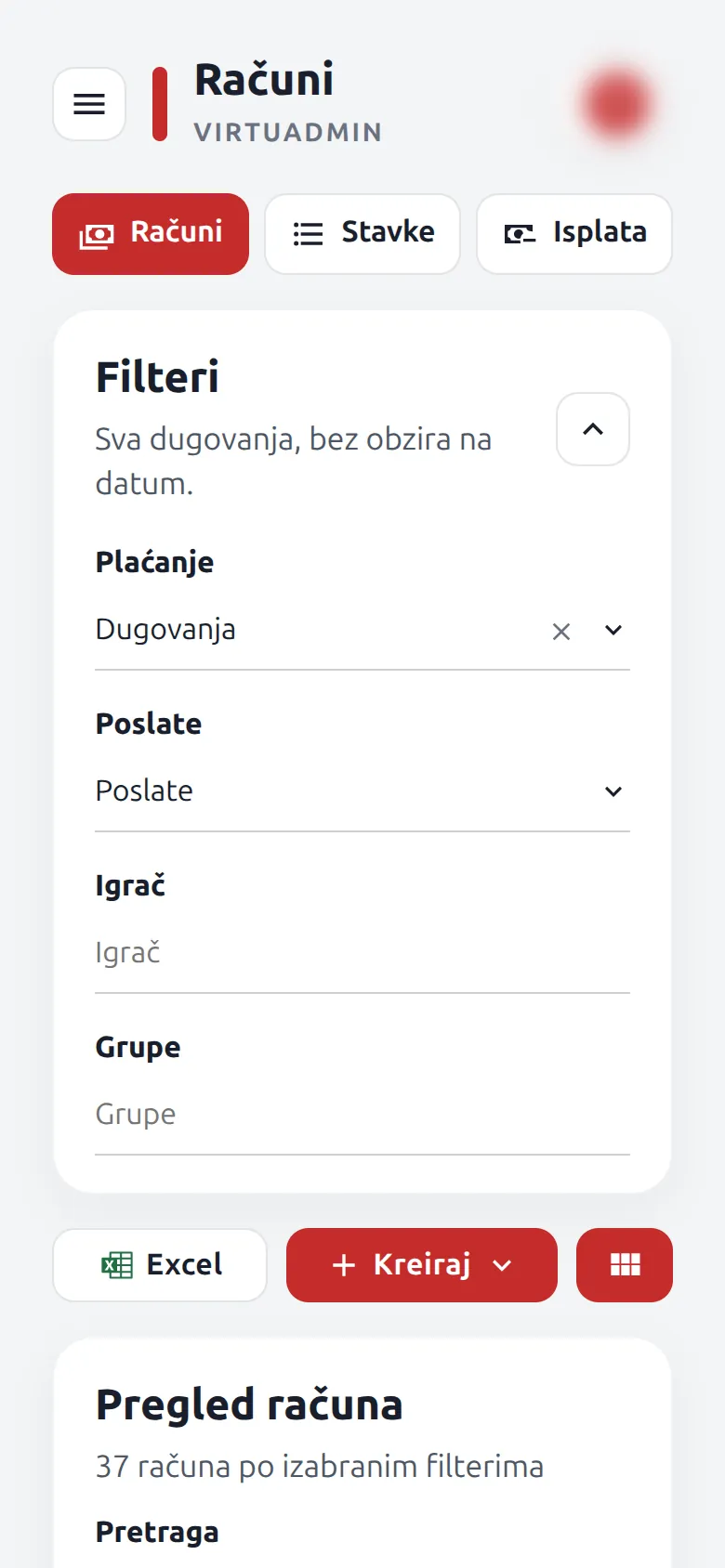
The list comes first, filters are one tap away
- Filters are folded. You only see the Filters title and a button. Tap it when you want to choose.
- One row of buttons. Excel, Create and the view switch sit side by side, below the filters.
- Cards. Each bill is a card: how much is due, how much is paid and how much is left.
What is VirtuAdmin? Software for running a sports club online: members, training and attendance, membership fees, competitions, a parent portal and a mobile app, all in one place. Improved screens reach every club on their own, with no installation and no extra work at the club. See all features